
Ellie’s Checklist
A checklist for reviewing WordPress websites
before publishing them
Ellie's Checklist
It helps you review the important aspects of a website before finalizing it: basic configuration, content, forms, delivery details, and final adjustments before publishing.
It’s not an SEO or maintenance plugin, and it doesn’t try to turn WordPress into a project management tool.
It’s a simple way to perform a final review directly within the admin panel, without relying so heavily on memory, stray notes, or that mental notebook that often appears right after sending the link to the client.
I made this plugin for myself and after using it for a few months I thought it might be useful to more people
After years of development, I realized that many checks were repeated over and over. Things like language, time zone, checking permalinks, comments… a lot of small details that don’t seem like much until one slips through the net.
It simply helps to review a website in a more organized way and with less reliance on memory.
Because a website isn’t ready just because it looks good visually. It’s ready when someone has thoroughly reviewed it.
A phased checklist
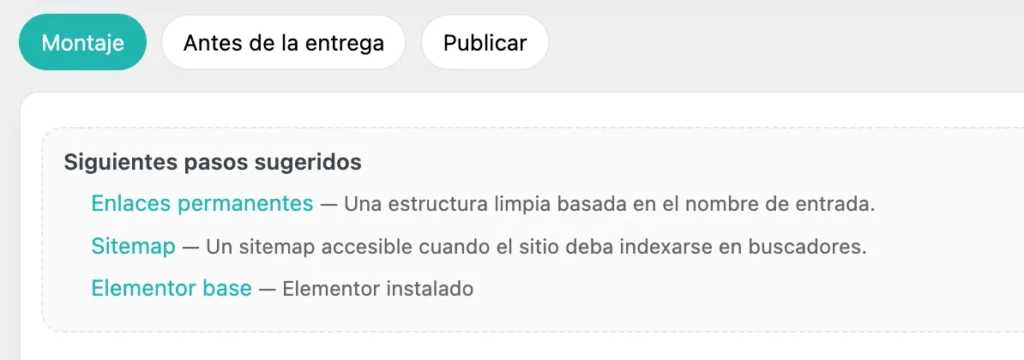
A clear view of the main phases for reviewing a website during assembly, before delivery, and before publishing.
The plugin divides the checklist into three main stages:
Setup
To review the base of the installation and ensure that WordPress is configured with a minimum level of organization before progressing too far with the project.
Before Delivery
To review content, structure, forms, responsiveness, visual details, and other important points before showing the website to the client.
Publish
To perform the final review before launching the website, enabling indexing, or officially marking it as complete.
What helps you review
I came up with the idea of combining automated checks with manual tasks.
Automated checks help you detect basic WordPress settings, such as language, time zone, permalinks, comments, sitemap, search engine visibility, active theme, PHP memory, images without alt text, and test content.
Manual tasks are used to review what requires more attention: navigation, forms, responsiveness, legal text, important links, and details specific to each project.
The idea isn’t to replace human review, but rather to make that review clearer, more repeatable, and thorough.
Without aggressive automation
Ellie’s Checklist is designed to guide your review process, not to make critical decisions for you.
Therefore, the plugin does not automatically install other plugins, modify wp-config.php, change themes on its own, or perform any destructive actions.
The philosophy is simple: more control, less opaque automation, and a clearer review before delivering a website.
History and focus mode
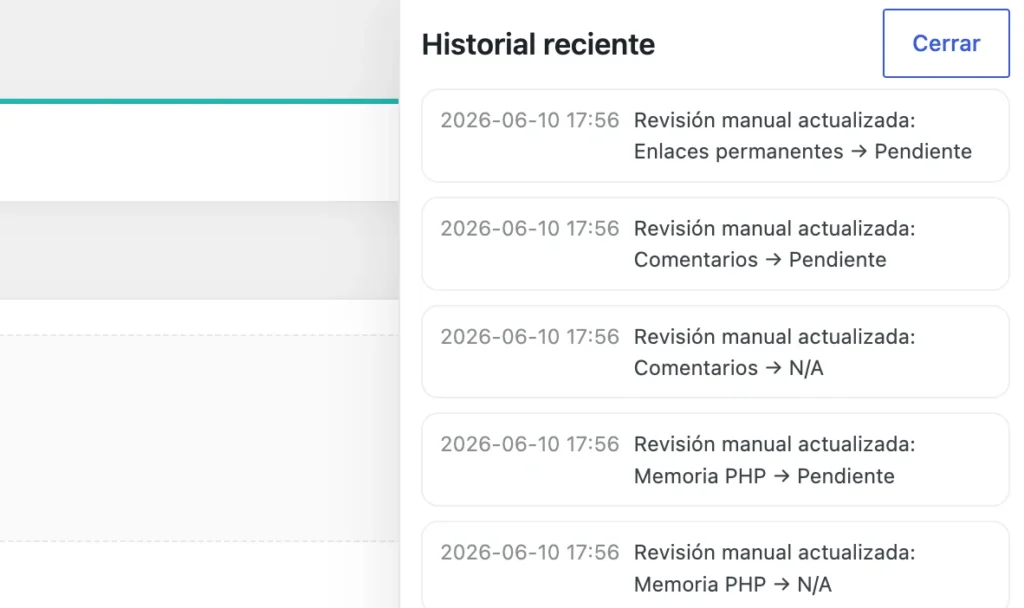
A basic record to know what has been reviewed and what remains pending.
It also keeps a basic history so you can regain context when you return to a website after a few days.
It’s not meant to be a project manager. It simply helps you see what’s been reviewed and what’s still pending.
Focus mode
When you’re finishing a website, any distraction is unnecessary.
Focus mode is designed for reviewing with less noise and making more focused progress on important tasks.
It doesn’t add complexity, it removes it, which is often much more useful at that stage of a project.
Manual tasks
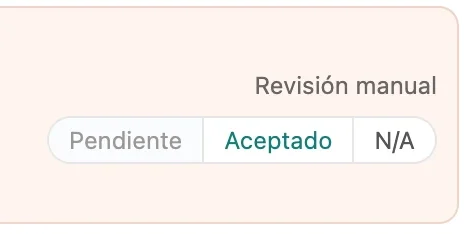
A simple way to mark revisions that depend on the criteria of each project.
Not everything can be automated, and I don’t believe everything should be.
Some decisions depend on the type of website, the client, and the content, which is why Ellie’s Checklist includes manual tasks that you can manually check off during the review process.
Who is it for?
Ellie’s Checklist is designed for WordPress freelancers, implementers, developers, web designers, and small agencies that frequently build websites.
It can also be useful if you build several websites a year and want to avoid that wonderful feeling of “I’m sure I’m forgetting something, but I can’t remember what it is right now.”
What it is not
Ellie’s Checklist doesn’t replace a full technical review, it doesn’t replace an SEO plugin, and it doesn’t turn WordPress into a project management tool.
It also doesn’t promise a perfect website.
Its function is more specific: to help you review the important points before delivering or publishing a WordPress website.
Quick links to the administrator

Shortcuts to useful WordPress admin screens.
Many revisions always end up in the same areas of WordPress: general settings, permalinks, reading, comments, media, pages, appearance, or plugins.
That’s why I’ve included quick access to useful admin screens so you can jump directly to the setting you need at any given time.
It means less time spent navigating the admin panel, which is always appreciated.
Frequently Asked Questions
Is it free?
Yes, Ellie’s Checklist is a free plugin for WordPress.
Is Ellie's Checklist an SEO plugin?
It’s not an SEO plugin; it can help you review some aspects of website preparation, such as sitemap, indexing, or images without alt text, but it’s not an SEO plugin and doesn’t intend to replace specific SEO tools.
Modify wp-config.php?
No, the plugin does not make modifications to the wp-config.php file.
Does it make destructive changes?
No, Ellie’s Checklist is designed with a cautious approach. It doesn’t delete content, automatically change themes, or perform sensitive actions without oversight.
Is it suitable for WordPress maintenance?
It is not intended as a maintenance plugin, although it can help you check a website at specific times, but it does not replace a maintenance, security, monitoring or updates service.
Can I use it on websites that are already published?
Yes, although it is designed especially for assembly, delivery and publication, it can also be used to review existing websites and detect basic settings that should be checked.
Does it work with Elementor?
Yes, you can use it on websites built with Elementor, but the plugin doesn’t depend on Elementor and doesn’t install it.
Download Ellie's Checklist
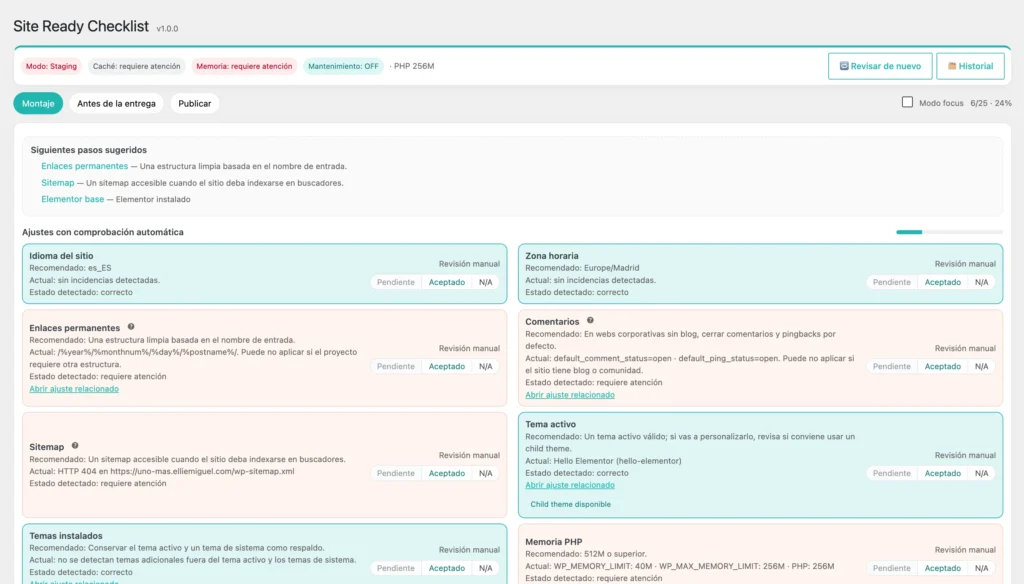
Plugin created by Ellie Miguel to review WordPress websites before publishing them.
Ellie’s Checklist isn’t here to promise you a perfect delivery.
It’s here to help you review more effectively, with greater organization, and with less reliance on remembering everything on the day you’re in a rush.
If you build WordPress websites for clients, it can become that final check before you say: now it’s ready to deliver.